SETUP
RDMA Requirements
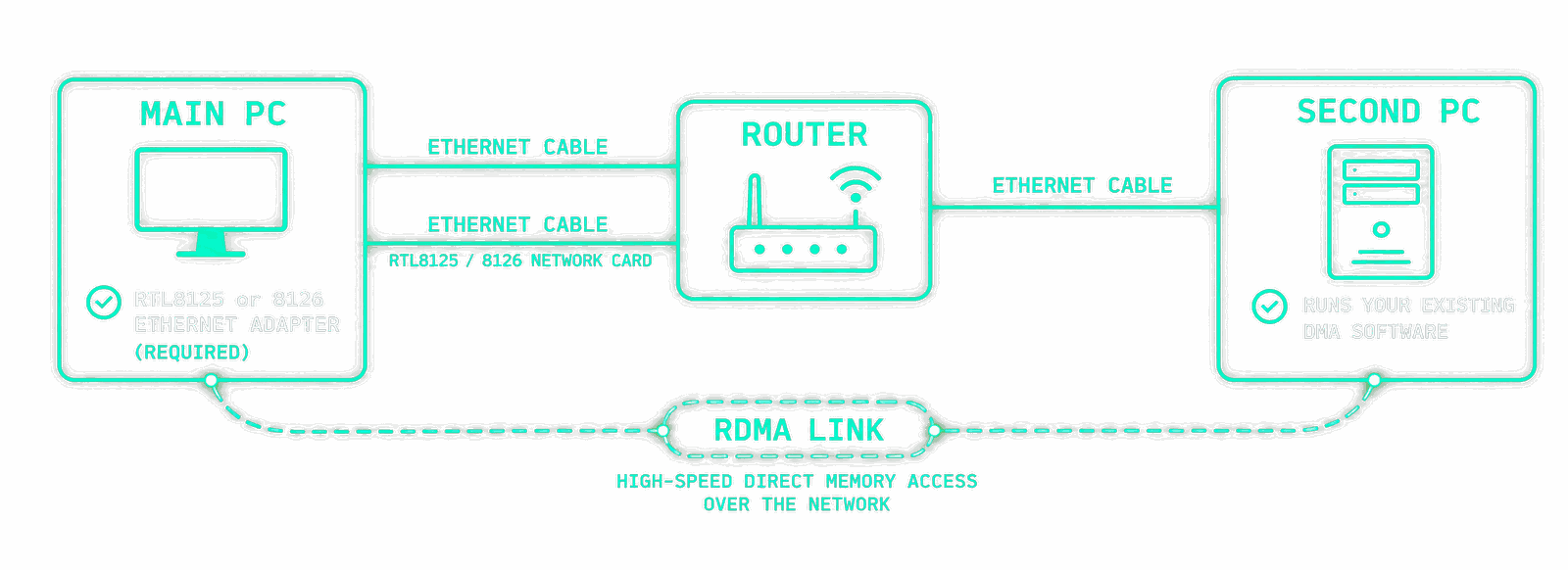
- 2PC (Make sure both pc are connected to same network.)
- Both PCs must use wired Ethernet connections from the router.
- Main PC must have a 2.5G Ethernet port. A 2.5G port on the second PC is recommended but not required.
- Main PC network adapter: RTL8125.
Network Card Requirements
- If RTL8125 isn't built into main PC, then the recommended network card is the Binardat 2.5G PCIe Network Adapter RTL8125B.
- You will need two ethernet cables for main pc connect if you need to add a network card.
COMMUNITY SIGNAL
Matrix Reviews
Verified customer feedback, approved by the Matrix team.
Loading reviews...
LEAVE A REVIEW
Share your experience
Purchased customers can submit one review. Reviews are published after approval.
Log in to the account used for your purchase to leave a review.